The NESA Scholarship application system has moved to a new database, and all users must create a new login. Please follow the instructions and screenshots on this page before continuing.
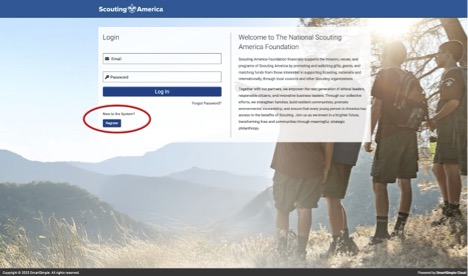
1. Click “Register” and bookmark this login page. This will be the login to return to your application. If you previously applied for a NESA scholarship, click forgot password.
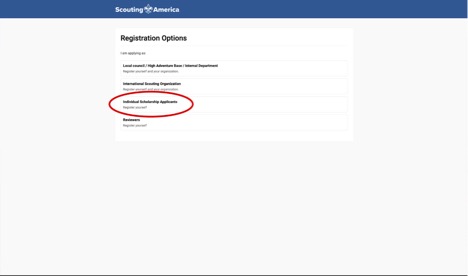
2. Click “Individual Scholarship Application”
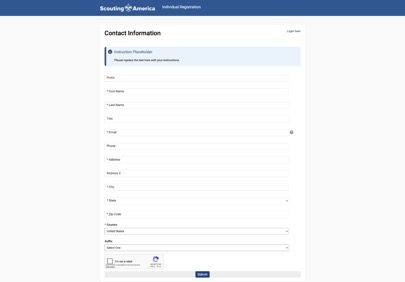
3. Enter contact information
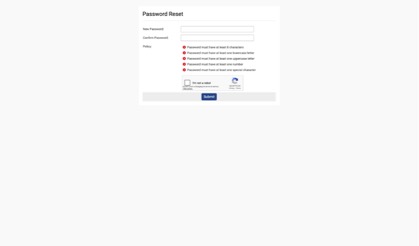
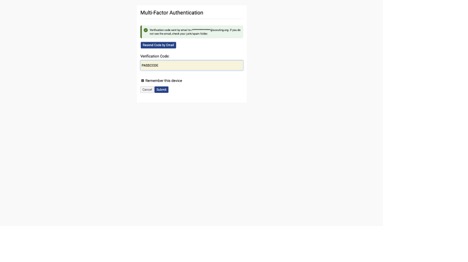
You will be sent two emails from BSAgrants.administrtion@scouting.org, a link to create your password, and a second with a verification code. If you do not receive it in your inbox, check you spam/junk folders.
4. Create password
5. Enter access code
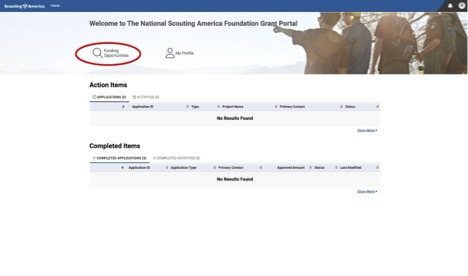
6. Click “Funding Opportunities”
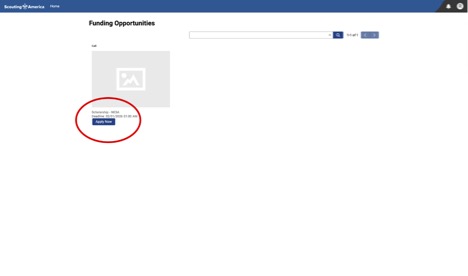
7. Click “Apply Now” on Scholarships NESA
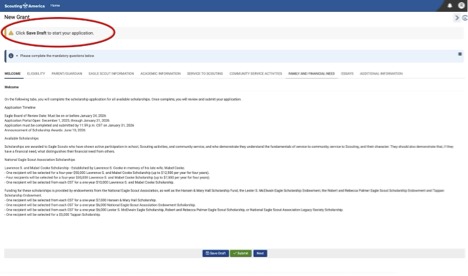
8. Click “Save Draft” to start your application.
We recommend saving your work often to avoid losing your work. The application can time out if not being used.